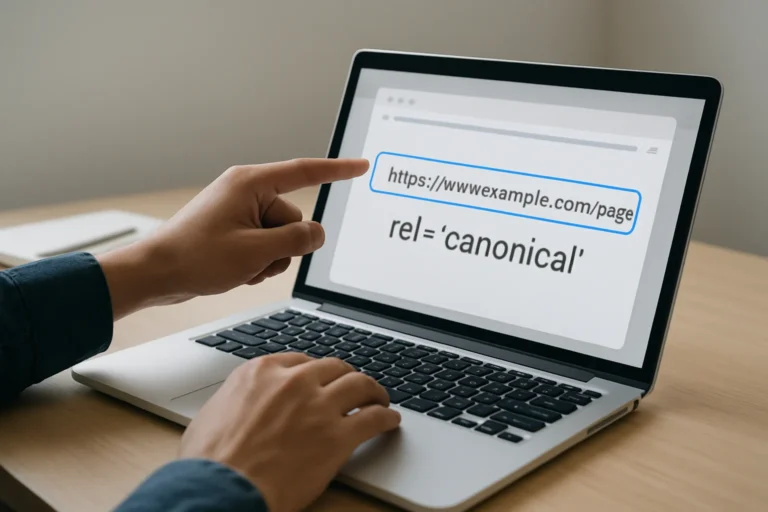
A JavaScript website can perform very well for users and still create a serious SEO problem if Google cannot access the content that matters. The issue is not only technical. It affects visibility, credibility, and the number of qualified leads your website can generate.
The real question is simple: does Google see the same content your visitors see? If the answer is unclear, your rankings, indexing, and commercial performance may already be affected.
Direct answer: how do you know if Google can access your JavaScript content?
Check three things: the rendered HTML in Google Search Console, the page source versus the rendered page, and the index status of the key content. If important text, links, or calls to action appear only after JavaScript runs, Google may not process them reliably.
For business websites, this is not a minor technical detail. A page that is difficult to render can lose search visibility, weaken user trust, and reduce conversions before the visitor even reaches your offer.
Table of contents
Why might Google miss content on a JavaScript site?
Google can render JavaScript, but that does not mean every page is processed perfectly or immediately. If your content depends on client-side rendering, delayed API calls, blocked resources, or complex interactions, Google may index an incomplete version of the page.
The risk is higher when essential text is loaded after the initial HTML response. In that case, the crawler may see a thin page, while users see the full experience only after scripts finish running.
Common causes
- Important content injected only after page load
- Links hidden behind script-driven interactions
- Lazy-loaded elements that never become visible to crawlers
- Blocked JavaScript or CSS resources
- Incorrect canonical tags or meta tags generated too late
How can you check whether Google really sees the page?
Start with the page source. If the core text, internal links, and metadata are missing there, the page depends too much on JavaScript. Then compare it with the rendered version that Google can access through Search Console.
If the rendered version still misses key sections, the problem is more serious. Google may not be able to understand the page structure well enough to rank it properly.
Step-by-step check
- Open the page source and look for the main content.
- Compare it with the visible page in the browser.
- Use Google Search Console URL inspection to test live rendering.
- Check whether headings, links, and text appear in the rendered HTML.
- Search for the page in Google and confirm whether the indexed snippet reflects the real content.
Which tools should you use to test JavaScript SEO?
You do not need a complex setup to identify most problems. A few practical tools already give a clear answer about how Google may interpret your pages.
| Tool | What it shows | Business value |
|---|---|---|
| Google Search Console | Rendered page, indexing status, crawl issues | Confirms whether Google can process the page |
| View source / browser inspect | Initial HTML before JavaScript runs | Shows what crawlers may receive first |
| Mobile-friendly browser test | How the page behaves on mobile devices | Protects user experience and visibility |
| Server logs | How often Googlebot requests the page | Reveals crawl efficiency and access issues |
For companies that rely on organic traffic, this verification is part of a serious SEO foundation. It is also relevant for businesses looking for practical better visibility conversions, because content that cannot be read cannot convert.
What are the technical signs that Google is not accessing the content correctly?
Some symptoms are easy to miss because the site still looks polished. The problem appears in search performance, not always in the design.
Warning signs
- Pages are indexed, but rankings remain weak
- Google snippets show incomplete or outdated text
- Important internal links are not followed
- Headings appear in the browser but not in Search Console rendering
- Product, service, or location pages get little organic traffic despite good design
If you manage a learning platform website development project, a service website, or a content-heavy business site, these issues can directly limit discoverability and lead generation.
Why does this matter for SEO, GEO and AEO?
SEO depends on crawlable content. GEO and AEO depend on content that can be clearly extracted, summarized, and cited by search systems and AI assistants. If your content is hidden behind scripts, the system has less to work with.
A good structure helps both users and search engines. Clear headings, visible text, and accessible links improve indexing, support answer engines, and make the page easier to quote in AI-generated results.
For companies that want improve visibility credibility qualified, this is not only about ranking. It is about making sure the right information is available in the right format when prospects search, compare, and decide.
What should you fix first if Google cannot see the content?
Do not start with cosmetic changes. Start with the content that carries business value: service descriptions, product details, contact elements, internal links, and structured headings.
Priority order
- Make essential text available in the initial HTML where possible.
- Ensure key links are crawlable without user interaction.
- Check that metadata is rendered correctly on every page.
- Reduce unnecessary script complexity on pages that must rank.
- Test again after deployment to confirm Google sees the updated version.
For some websites, the best solution is server-side rendering or pre-rendering. For others, a lighter JavaScript architecture is enough. The right choice depends on the commercial role of the page.
What is the business impact of a rendering problem?
A slow or unreadable website does not only create a technical problem. It creates a business problem, because visitors leave faster, Google has more difficulty crawling the pages and potential clients may lose trust before contacting the company.
This is especially important for service businesses, B2B companies, and local brands that depend on organic leads. If the page cannot be understood quickly, the opportunity is lost before the sales conversation starts.
At THE ROAD, the objective is not only to create a site that looks clean. The objective is to build a digital presence that is fast, credible, easy to crawl, and capable of supporting growth through SEO, GEO, AEO, and conversion-focused structure.
That approach is also useful for sectors such as psychologist website development tunisia, physiotherapist website development tunisia, and notaries tunisia what professional, where trust, clarity, and local visibility directly influence contact rates.
FAQ
Can Google index JavaScript content?
Yes, but not always perfectly or immediately. Google can render JavaScript, yet important content may still be missed if it loads too late or depends on complex scripts.
How do I know if my page is indexed correctly?
Use Google Search Console URL inspection and compare the rendered page with the content you expect to rank. If headings or text are missing, the page may not be fully understood.
Is client-side rendering bad for SEO?
Not automatically. The risk appears when essential content is not available in the initial HTML. For business-critical pages, that can reduce crawl efficiency and ranking potential.
Should every JavaScript site use server-side rendering?
Not every site needs it, but many important pages benefit from it. The decision should be based on SEO goals, page complexity, and how much organic traffic the page must generate.
When should I ask an agency to review my site?
If your site relies on JavaScript, rankings are weak, or key pages are not converting, an audit is worth it. A professional review can identify rendering issues before they affect revenue.
Conclusion
Checking whether Google really accesses your JavaScript content is not a theoretical exercise. It is a practical step that protects visibility, credibility, and lead generation.
If your website depends on organic traffic, the technical foundation must be verified early and reviewed regularly. That is the difference between a site that simply works for users and a site that also works for search engines and business growth.
Vous avez un projet web, une refonte ou un besoin SEO ? THE ROAD peut vous accompagner avec une approche claire, professionnelle et orientée résultats.