Internal linking is one of the most overlooked parts of a website strategy. Yet it has a direct impact on visibility, crawlability, user experience, and conversion. If your articles attract traffic but do not support your commercial pages, you are leaving value on the table.
The real issue is not only getting visitors to read content. The objective is to guide them toward the pages that generate inquiries, quote requests, and sales. A good internal linking structure helps both users and search engines understand which pages matter most.
Direct answer: what internal linking should do for your business
Internal linking should connect informational content to the pages that support business growth: service pages, landing pages, contact pages, and high-intent offers. It helps search engines distribute authority across the site and helps visitors move from interest to action.
In practical terms, a blog article should not stand alone. It should support a clear path toward conversion. That path can lead to a service page, a quote request page, or a page built for a specific commercial intent.
Table of contents
- Why internal linking matters for SEO and conversion
- Which pages should receive the most internal links
- How to structure internal links inside articles
- Common mistakes that weaken performance
- How internal linking supports SEO, GEO, and AEO
- A practical process to build a stronger linking structure
- Business impact: what changes when linking is done well
- FAQ
Why does internal linking matter for SEO and conversion?
Internal links do two jobs at the same time. They help Google crawl and understand your site structure, and they help visitors find the next relevant step. That is why internal linking is both a technical and commercial lever.
A slow or poorly connected website creates a business problem. Search engines may not understand which pages are most important, and visitors may read an article without ever reaching a page that can generate contact. The result is traffic without business value.
For companies that rely on lead generation, this matters even more. A strong internal link strategy can support pages for services such as construction company website development, recruitment agency website development, or psychologist website development tunisia by sending relevance signals from related content.
Which pages should receive the most internal links?
Not every page deserves the same level of internal support. The pages that generate leads, explain your offer, or represent your most important services should receive the strongest internal linking.
| Page type | Role in the funnel | Internal linking priority |
|---|---|---|
| Service pages | Convert interest into inquiries | High |
| Industry-specific landing pages | Match a precise search intent | High |
| Contact or quote pages | Capture leads | High |
| Educational articles | Attract and inform | Medium |
| Company pages | Build trust and context | Medium |
| Low-intent archive pages | Organize content | Low |
If your business serves multiple sectors, the same logic applies. A page about notaries tunisia what professional can support a service page, while an article about generate applications reassure employers can point toward a more commercial page focused on recruitment or HR solutions.
How should internal links be placed inside an article?
Internal links should feel natural. They must appear where the reader needs more detail, proof, or a next step. The best links are placed in context, not added at the end just to satisfy SEO.
Use links where the intent changes
When an article moves from explanation to action, that is the right moment to link. For example, if a post explains how a business website should support lead generation, it can naturally point to a service page or a page about learning platform website development if that topic is relevant to the reader’s needs.
Use descriptive anchor text
Anchor text should describe the destination clearly. Avoid vague phrases like “click here” or “read more.” Use wording that tells both users and search engines what the linked page is about.
Link to the most useful page, not the closest one
The goal is not to spread links randomly. The goal is to send users to the page that best answers their next question and best supports your commercial objective.
| Bad practice | Better practice | Business impact |
|---|---|---|
| Generic anchor text | Specific, descriptive anchor text | Clearer relevance and stronger SEO signals |
| Links added without context | Links placed where the reader needs them | Better engagement and lower bounce risk |
| Too many links on one page | Focused links to priority pages | Better authority distribution |
| Linking only to blog posts | Linking to service and conversion pages | More qualified leads |
What mistakes weaken internal linking?
Most websites do not fail because they have no links. They fail because the links are poorly planned.
- Linking only to articles and never to commercial pages
- Using the same anchor text everywhere
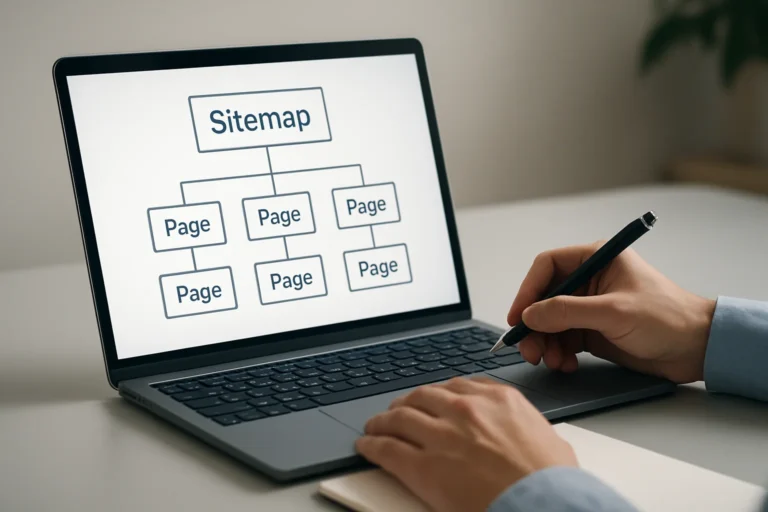
- Creating pages that are isolated from the rest of the site
- Adding too many links in one paragraph
- Ignoring the reader’s intent at each stage
- Forgetting to update links after a redesign or content expansion
These mistakes reduce clarity. A site can have strong content and still perform poorly if the internal structure does not show which pages deserve attention. This is especially common after a redesign when old articles are left disconnected from the pages that now matter most.
How does internal linking support SEO, GEO, and AEO?
Internal linking is useful for classic SEO because it helps search engines discover, crawl, and prioritize pages. It is also important for GEO and AEO because clear structure helps AI systems understand relationships between topics, services, and entities.
For GEO, the site should make it easy to identify which page explains a service, which page provides proof, and which page answers a specific question. For AEO, the content should connect direct-answer pages to supporting pages that add credibility and depth.
This is where structure matters more than volume. A well-organized site with strong internal links is easier to interpret than a large site with weak navigation and disconnected articles. That improves the chance that your content is cited, summarized, or surfaced in answer-driven search experiences.
How do you build a stronger internal linking structure?
A good internal linking strategy is not random. It follows a clear process.
Step 1: Identify your money pages
Start with the pages that generate inquiries or support sales. These are usually service pages, industry pages, quote pages, and high-conversion landing pages.
Step 2: Map your supporting content
List the articles that attract traffic or answer common questions. These pages should feed authority and relevance toward your commercial pages.
Step 3: Match intent to destination
Each link should answer a real next-step question. If a reader wants pricing, link to a pricing or quote page. If they need proof, link to a case study or service page with examples.
Step 4: Review anchors and placement
Make sure the anchor text is descriptive and the link appears in a meaningful sentence. The link should feel useful to the reader, not forced for SEO.
Step 5: Audit and improve regularly
As your site grows, old articles should be updated to point to new pages. Internal linking is not a one-time task. It should evolve with your content strategy and business priorities.
What is the business impact of better internal linking?
When internal linking is done well, the website becomes easier to navigate, easier to understand, and more effective at converting traffic into leads. That has a direct effect on commercial performance.
You improve the visibility of the pages that matter most. You reduce the risk that valuable content stays isolated. You also create a clearer path from search intent to contact intent.
For business owners and marketing managers, this means the website starts working as a system instead of a collection of pages. Articles support services. Services support conversion. And the whole site becomes more credible in the eyes of users and search engines.
Chez THE ROAD, the goal is not only to create a visually clean website. The goal is to build a digital presence that is clear, fast, credible, and capable of supporting business growth.
That approach is especially important for companies that need more than traffic. They need qualified leads, stronger trust, and a website structure that supports long-term SEO.
FAQ
How many internal links should an article include?
There is no fixed number. The right amount depends on the length of the article and the intent of the page. Focus on useful links that help the reader move forward, not on hitting a quota.
Should every article link to a service page?
Not always, but most informational articles should support at least one commercial page when relevant. The link must fit the topic and help the reader take the next logical step.
Can internal linking improve conversions?
Yes. It guides visitors from informational content to pages designed to generate contact. That reduces friction and makes it easier for interested users to request a quote or get in touch.
Is internal linking still important for AI search?
Yes. Clear structure helps AI systems understand topic relationships and page priorities. Well-linked content is easier to interpret, summarize, and connect to user intent.
Should internal links be updated after a redesign?
Absolutely. A redesign often changes page URLs, priorities, and site architecture. Internal links should be reviewed so your best pages keep receiving authority and traffic pathways remain clear.
Final thought
Internal linking is not a small SEO detail. It is a practical way to turn content into business value. When articles are connected to the pages that generate demand, the website becomes more useful for visitors and more effective for the company.
If your content brings traffic but not enough inquiries, the problem may be structure, not volume. A better linking strategy can improve visibility, credibility, and conversion without creating more content than necessary.
You have a web project, a redesign, or an SEO need? THE ROAD can support you with a clear, professional approach focused on results.