Most companies check rankings and traffic, but stop too early. The real question is not how many people visited the site. The real question is whether those visits created qualified leads, trust, and commercial opportunities.
Google Search Console and GA4 answer different parts of that question. Used together, they show how people search, what they click, how they behave on the site, and where the path to conversion breaks. That is where SEO becomes a business tool, not just a reporting exercise.
Direct answer: why connect Search Console and GA4?
Search Console tells you which queries and pages generate visibility in Google. GA4 tells you what those visitors do after they arrive. Together, they help you connect search intent to business results, identify pages that attract the right audience, and improve conversion instead of chasing empty traffic.
Table of contents
Why does connecting Search Console and GA4 matter for business performance?
A website can receive traffic and still fail commercially. That happens when the traffic comes from the wrong queries, the landing page does not answer the search intent, or the user journey breaks before contact.
When Search Console and GA4 are read together, you can see whether your organic visibility is actually supporting revenue. This is especially important for companies that want practical better visibility conversions, not just more impressions in a report.
For a business owner, this changes the conversation. Instead of asking “How many clicks did we get?”, you can ask “Which searches bring the right audience, which pages generate engagement, and which pages should be improved to increase leads?”
What does each tool tell you?
| Tool | What it shows | Business value |
|---|---|---|
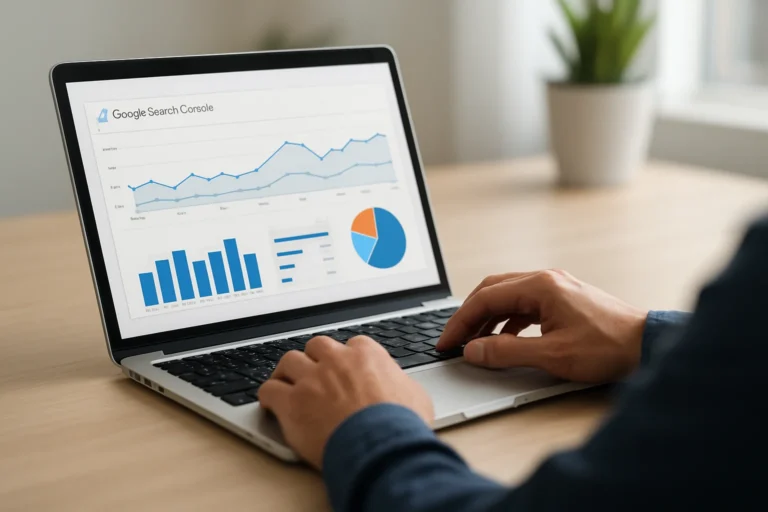
| Google Search Console | Queries, impressions, clicks, CTR, average position, indexed pages, technical issues | Shows how visible your site is in Google and which search intent brings traffic |
| GA4 | Sessions, engagement, events, conversions, user paths, landing page performance | Shows whether visitors stay, interact, and convert into leads or customers |
Search Console is about discovery. GA4 is about behavior. One tells you how people find you. The other tells you whether the website does its job once they arrive.
This distinction matters because a page can rank well and still underperform commercially. It may attract clicks, but if the message is unclear or the call to action is weak, the traffic does not turn into results.
How should you read the data without getting lost?
1. Start with queries that already have intent
Look for searches that suggest a decision, a need, or a comparison. These are usually more valuable than broad informational terms. A company that understands the landscape changing buyers discover online can align content with the exact moments when prospects are evaluating solutions.
2. Match queries to landing pages
Check whether the page that receives the click really answers the query. If the page is too general, the visitor may leave quickly. If the page is too technical, the visitor may not understand the offer. Relevance is not only an SEO issue. It is a conversion issue.
3. Compare clicks with engagement and conversions
High clicks with low engagement usually mean the page title promises one thing and the page delivers another. Good engagement with no conversions often means the offer is unclear, the form is too long, or the page does not create enough trust.
4. Identify pages with hidden potential
Some pages already rank on page two or lower positions on page one. Those pages often need better structure, stronger internal linking, and clearer content. Small improvements there can create measurable business impact without rebuilding the entire website.
For companies working on notaries tunisia what professional or similar service-based searches, this kind of analysis is especially useful because the intent is often local, specific, and close to conversion.
What are the most common mistakes when using these tools?
| Mistake | Why it hurts | Better approach |
|---|---|---|
| Looking only at traffic | Traffic can grow while leads stay flat | Track conversions, form submissions, calls, and qualified actions |
| Reading Search Console and GA4 separately | You miss the link between search intent and behavior | Compare queries, landing pages, and post-click actions |
| Ignoring branded vs non-branded searches | You cannot tell whether SEO is creating new demand | Separate existing brand demand from new acquisition queries |
| Not tracking the right events | Important actions remain invisible | Measure contact clicks, form starts, form submissions, and key interactions |
Another frequent issue is weak technical setup. If events are missing or configured badly, GA4 can create a false sense of performance. That is why measurement should be treated as part of the website foundation, not as an optional add-on.
How do SEO, GEO and AEO fit into this analysis?
SEO helps your pages appear in search results. GEO helps your content remain understandable and useful for AI-driven search experiences. AEO helps your pages answer questions clearly and directly.
Search Console and GA4 support all three, because they show whether your content is visible, understandable, and commercially effective. If a page gets impressions but poor clicks, the title and snippet may not match the query. If it gets clicks but no engagement, the page may not answer the question fast enough.
That is why structure matters. Clear headings, direct answers, focused sections, and strong internal linking improve both human reading and machine understanding. This is one reason why websites built with a learning platform website development mindset often perform better: they are designed to guide users through information in a logical way.
For businesses investing in construction company website development or physiotherapist website development tunisia, the same principle applies. The content must match the search intent, the service must be easy to understand, and the next step must be obvious.
What is the business impact of connecting search data to conversion data?
The value is simple: you stop optimizing for vanity metrics and start optimizing for revenue signals. That means better decisions about content, pages, calls to action, and service positioning.
When the data is connected properly, you can:
- prioritize pages that already attract the right audience
- identify queries that deserve a stronger landing page
- improve pages that generate traffic but no leads
- reduce wasted SEO effort on low-intent topics
- support sales with clearer digital evidence
This is where visibility becomes credibility. A company that understands its search data can explain its offer more clearly, build trust faster, and convert more efficiently.
At THE ROAD, the goal is not only to create a website that looks clean. The goal is to build a digital presence that is clear, fast, credible, and capable of supporting business growth.
How should a company set this up step by step?
Step 1: Verify Search Console and GA4 are correctly installed
Check that both tools are collecting data on the same domain and that the main pages are tracked correctly. If the setup is incomplete, every decision after that becomes less reliable.
Step 2: Define conversions that matter
Do not track everything equally. Focus on meaningful actions such as contact form submissions, phone clicks, quote requests, and key lead-generation events.
Step 3: Connect landing pages to search queries
Identify which queries bring users to each page. Then compare that with engagement and conversion data in GA4. This reveals where the message is aligned and where it needs work.
Step 4: Improve pages with commercial potential
Update titles, headings, internal links, content depth, and calls to action. Often, the fastest gains come from improving pages that already have some visibility.
Step 5: Review monthly, not randomly
Search behavior and conversion patterns change over time. A monthly review helps you spot trends, test changes, and make decisions based on evidence instead of assumptions.
FAQ
Can Search Console show conversions?
No. Search Console shows search visibility and clicks, but not what users do after landing on the site. For conversions, you need GA4 or another analytics setup.
Why do clicks and conversions not always match?
Because clicks measure interest, while conversions measure business action. A page can attract visitors without convincing them to contact you or request a quote.
Which tool should I check first?
Start with Search Console if you want to understand search demand. Then use GA4 to see whether that demand turns into engagement and leads.
Do I need both tools for SEO?
Yes, if you want a serious view of performance. Search Console shows how Google sees your site. GA4 shows whether the site supports commercial results.
How often should I review this data?
Monthly is a good baseline for most businesses. It is frequent enough to spot trends and stable enough to avoid overreacting to short-term fluctuations.
What should you do next?
If your website gets traffic but does not generate enough qualified leads, the problem is often not visibility alone. The issue is usually the connection between search intent, page content, and conversion tracking.
THE ROAD helps companies build websites and SEO systems that are easier to understand, easier to measure, and more effective commercially. That includes technical setup, content structure, SEO, GEO, AEO, and conversion-focused improvements.
You have a web project, a redesign, or an SEO need? THE ROAD can support you with a clear, professional approach focused on results.