A WordPress 500 error is not just a technical message. It means your website is unavailable, which can immediately affect visibility, credibility, and conversions. For a business, every minute offline can mean lost leads and lower customer trust.
The real issue is not only to make the error disappear. The objective is to identify the root cause, restore the site safely, and reduce the risk of it happening again. That is the difference between a quick fix and a reliable online presence.
Direct answer: what does a WordPress 500 error mean?
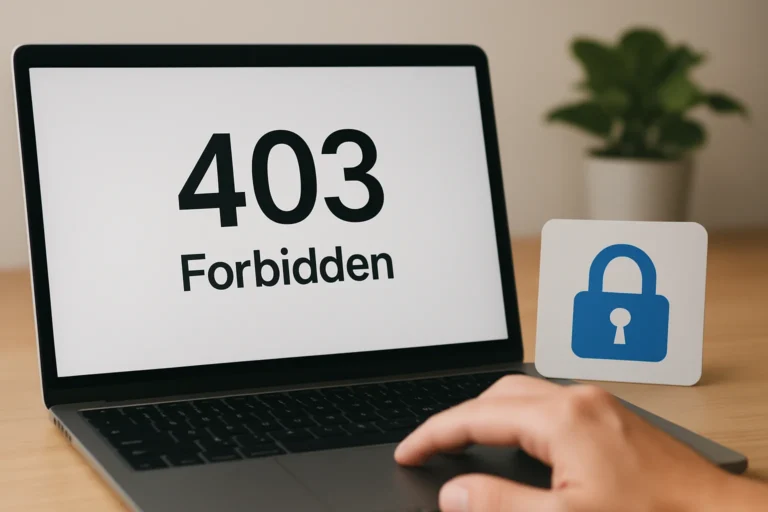
A 500 error is a server-side problem. In simple terms, the server hosting your WordPress site cannot complete the request because something is broken, overloaded, misconfigured, or incompatible.
It can come from a plugin, a theme, a corrupted file, a PHP issue, a memory limit problem, or a hosting configuration error. In some cases, it appears after a change such as an update, a migration, or a new extension installation.
Table of contents
What usually causes a WordPress 500 error?
There is rarely one single cause. A 500 error is usually the result of a conflict or a server limitation. The challenge is to isolate the trigger without making the situation worse.
Common technical causes
- A faulty plugin update or plugin conflict
- A theme error, especially after a customization
- Corrupted .htaccess rules
- PHP version incompatibility
- Memory limit too low for the site load
- Broken files after a migration or deployment
- Hosting-side timeout or server misconfiguration
In many cases, the error appears after a routine change. That is why a controlled process matters. A site can look stable for months and fail after a simple update if the technical foundation was not prepared correctly.
Why does this error matter for business performance?
A slow website does not only create a technical problem. It creates a business problem, because visitors leave faster, Google has more difficulty crawling the pages and potential clients may lose trust before contacting the company.
When a 500 error affects your homepage, service pages, or contact form, the impact is immediate:
- Lost qualified leads
- Lower conversion rate
- Reduced local visibility
- Weaker brand credibility
- Interrupted paid traffic performance
If your website supports sales, recruitment, or lead generation, downtime is not a minor inconvenience. It directly affects commercial performance.
How do you diagnose the problem step by step?
The right approach is to test the most likely causes in a safe order. The goal is to restore service quickly while keeping enough traceability to understand what failed.
Step 1: Check whether the issue is site-wide or page-specific
Open several pages and test the admin area if possible. If only one page fails, the issue may be related to that template, a shortcode, or a database entry. If the entire site is down, the cause is usually deeper.
Step 2: Review recent changes
Ask what changed just before the error appeared. A plugin update, theme edit, cache change, or server migration often gives the first clue. This is especially important after a wordpress migration new hosting event, where file permissions, PHP settings, or database links may need adjustment.
Step 3: Temporarily disable plugins
Plugins are one of the most common causes. If you cannot access the dashboard, disable them from the hosting file manager or via FTP by renaming the plugins folder. Then reactivate them one by one to identify the conflict.
Step 4: Switch to a default theme
If the issue persists, the theme may be the source. A broken theme file or custom function can trigger a 500 error. Switching to a default WordPress theme helps confirm whether the problem is theme-related.
Step 5: Inspect the error logs
Server logs often show the exact file or function causing the failure. This is where a professional diagnosis saves time. Instead of guessing, you read the technical signal behind the outage.
Step 6: Test the .htaccess file and PHP settings
A corrupted .htaccess file can break the site. Renaming it and regenerating permalinks may solve the issue. You should also verify that the PHP version is compatible with your WordPress core, theme, and plugins.
What are the most effective fixes?
The correct fix depends on the cause, but the most common actions are straightforward once the problem is identified.
| Cause | Typical fix | Business impact |
|---|---|---|
| Plugin conflict | Disable the conflicting plugin and replace or update it safely | Restores functionality without risking the whole site |
| Theme error | Switch theme, correct the code, or restore a stable version | Protects the site from repeated outages |
| .htaccess issue | Regenerate rewrite rules and verify server configuration | Brings pages back online quickly |
| PHP incompatibility | Adjust PHP version and test extensions | Improves stability and performance |
| Memory limit | Increase memory allocation and optimize heavy processes | Reduces crash risk under load |
Sometimes the fastest fix is not the safest one. Restoring the site without understanding the cause can bring the error back later. A professional approach balances speed and reliability.
What should you do yourself and when should you call an agency?
Some checks are safe for a business owner or marketing manager. Others require technical handling to avoid data loss or a longer outage.
| Action | Can you do it internally? | When to involve an agency |
|---|---|---|
| Check if the site is down everywhere | Yes | When the outage lasts more than a few minutes |
| Review recent updates | Yes | When multiple changes happened at once |
| Disable plugins | Sometimes | When you do not have file access or backup certainty |
| Edit server files | Not recommended | When you need safe recovery and traceability |
| Read logs and fix code conflicts | No | When the source is unclear or recurring |
If your website supports revenue, lead generation, or reputation, the safest choice is often to bring in a team that can diagnose and restore the site without trial and error. That is especially true for businesses that also need learning platform website development, construction company website development, or psychologist website development tunisia, where uptime and trust are critical.
Chez THE ROAD, l’objectif n’est pas seulement de remettre un site en ligne. L’objectif est de comprendre pourquoi l’erreur s’est produite, de corriger proprement la cause et de renforcer la base technique pour éviter une nouvelle interruption.
How do SEO, GEO and AEO relate to a WordPress 500 error?
Search engines and AI systems need access to your content. If your site returns a 500 error, they cannot crawl, index, or interpret the pages correctly. That affects both ranking and answer visibility.
SEO is impacted because downtime interrupts crawling and can reduce page trust over time.
GEO matters because AI search systems prefer clear, accessible, well-structured content that can be retrieved reliably.
AEO matters because direct-answer engines cannot cite a page that is unavailable.
A stable technical foundation is not separate from search performance. It is one of the conditions for it. This is why agencies working on notaries tunisia what professional or recruitment agency website development projects often prioritize reliability before content expansion.
How can you prevent the error from coming back?
Prevention is usually more cost-effective than emergency recovery. A few disciplined practices can reduce the risk significantly.
- Test updates on a staging environment before going live
- Keep regular backups with verified restore points
- Use compatible plugins and limit unnecessary extensions
- Monitor PHP version and server resources
- Document changes made to the site
- Review logs after every major update or migration
For companies that depend on their website for leads, a maintenance plan is not a luxury. It is a protection layer for business continuity.
FAQ
What is the fastest way to fix a WordPress 500 error?
The fastest safe approach is to check recent changes, disable plugins, and review logs. If the cause is unclear, a technical team should handle recovery to avoid making the outage worse.
Can a 500 error hurt SEO?
Yes. If the error lasts long enough, search engines may struggle to crawl the affected pages. Repeated downtime can also weaken trust signals and reduce organic performance.
Is a 500 error always caused by hosting?
No. Hosting can be the cause, but plugins, themes, PHP settings, and corrupted files are also common triggers. The source must be diagnosed before applying a fix.
Should I reinstall WordPress to solve the error?
Not as a first step. Reinstalling without diagnosis can hide the real problem and create new issues. Start with logs, recent changes, and plugin/theme checks.
When should I contact THE ROAD?
If the site is down, the error keeps coming back, or the cause is not clear, contact a professional team. THE ROAD can diagnose the issue, restore the site, and strengthen the technical base.
Need your site back online without guesswork?
A WordPress 500 error is a technical issue, but its consequences are commercial. The priority is to restore access quickly, protect your credibility, and make sure the same failure does not happen again.
If you have a project, a website outage, a refonte, or a need for stronger SEO and technical stability, THE ROAD can help with a clear, professional, and results-oriented approach.
Vous avez un projet web, une refonte ou un besoin SEO ? THE ROAD peut vous accompagner avec une approche claire, professionnelle et orientée résultats.