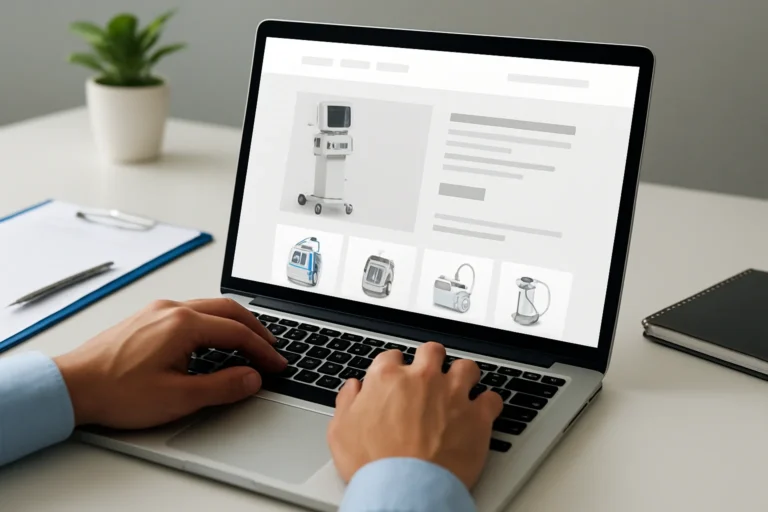
The real problem is not only where your online store is hosted. It is whether that hosting can support traffic, protect payments, and keep the buying journey smooth enough to convert visitors into customers.
For a WooCommerce store, hosting is a business decision. A slow or unstable server can reduce visibility, damage trust, and lower sales long before a customer reaches checkout.
Quick answer: what kind of hosting does WooCommerce need?
WooCommerce needs hosting that is fast, secure, scalable, and properly maintained. Shared hosting may work for a very small store, but most businesses need a more reliable environment such as managed WordPress hosting, cloud hosting, or a dedicated VPS.
The objective is simple: the store must load quickly, stay online during traffic peaks, and support a secure checkout experience without technical friction.
Table of contents
- Why hosting directly affects sales and SEO
- Which hosting options are suitable for WooCommerce?
- What should you check before choosing a provider?
- What mistakes hurt performance and conversion?
- How should WooCommerce hosting be set up?
- How hosting supports SEO, GEO and AEO
- What is the business impact of better hosting?
- FAQ
Why does WooCommerce hosting matter so much?
A slow website does not only create a technical problem. It creates a business problem, because visitors leave faster, Google has more difficulty crawling the pages, and potential clients may lose trust before contacting the company.
In e-commerce, every second matters. Hosting influences page speed, uptime, database response, checkout stability, and how well the store handles traffic spikes during campaigns or seasonal peaks.
For businesses that also invest in content and visibility, hosting is part of the technical foundation. Without it, SEO efforts and advertising budgets become less efficient.
Which hosting options are suitable for WooCommerce?
Not every hosting type is built for commerce. The right choice depends on store size, traffic level, product catalog complexity, and growth plans.
| Hosting type | Best for | Main advantage | Main limit |
|---|---|---|---|
| Shared hosting | Very small stores with low traffic | Low cost | Limited speed, weak isolation, poor scalability |
| Managed WooCommerce hosting | Businesses that want stability and less maintenance | Optimized environment, updates, security layers | Higher monthly cost |
| VPS hosting | Growing stores with moderate traffic | More control and better resource allocation | Requires technical management |
| Cloud hosting | Stores with variable traffic and growth ambitions | Scalability and resilience | Configuration can be more complex |
| Dedicated server | Large stores with high traffic or heavy operations | Maximum resources and control | Cost and administration effort |
For many SMEs, managed WooCommerce hosting or a well-configured VPS is the most balanced choice. It gives the store enough stability without creating unnecessary operational complexity.
What should you check before choosing a WooCommerce host?
Price alone is not a useful selection criterion. A cheaper plan can become expensive if it slows down the store, increases downtime, or forces repeated emergency fixes.
1. Speed and server response
Look for fast server response times, modern PHP support, SSD or NVMe storage, and a data center location close to your audience. These factors influence load time and user experience directly.
2. Security and isolation
WooCommerce stores process customer data and payments. The hosting environment should include SSL support, malware protection, firewall layers, backups, and good account isolation.
3. Backup and recovery
Daily backups are not optional for e-commerce. If a plugin conflict, update error, or checkout issue appears, the store must be restored quickly to avoid revenue loss.
4. Scalability
Your hosting should support growth without a full migration every few months. A store that starts with 200 products may later manage thousands of pages, orders, and customer accounts.
5. Technical support
Support quality matters when the store is down or checkout fails. Generic support is often not enough for WooCommerce. You need people who understand WordPress, database performance, and plugin conflicts.
What mistakes should you avoid?
- Choosing the cheapest plan without checking real performance
- Using shared hosting for a store that already generates revenue
- Ignoring backups until something breaks
- Installing too many plugins on weak infrastructure
- Hosting the store far from the main audience without a CDN strategy
- Separating hosting decisions from SEO and conversion goals
These mistakes are common because hosting is often treated as a technical purchase. In reality, it affects commercial performance, customer trust, and the ability to scale.
How should WooCommerce hosting be set up?
A good hosting plan is only the starting point. The setup must be adapted to the store structure, traffic patterns, and business priorities.
Step 1: Define the store profile
Identify the number of products, expected traffic, target countries, and checkout complexity. A store selling a few products locally does not need the same architecture as a multi-category catalog with international buyers.
Step 2: Choose the right environment
Select managed hosting, VPS, or cloud infrastructure based on growth needs. The goal is not to buy the most expensive option. The goal is to match the environment to the business model.
Step 3: Configure performance layers
Use caching, image optimization, database cleanup, and a CDN when needed. These elements reduce friction and help pages load faster under real traffic conditions.
Step 4: Secure the checkout path
Protect the login, cart, and payment flow with SSL, strong access controls, and regular updates. A secure checkout is essential for conversion and customer confidence.
Step 5: Monitor and maintain
Hosting is not a one-time setup. It must be monitored, updated, and adjusted as the store grows. That is why maintenance is part of the hosting strategy, not an optional extra.
How does hosting support SEO, GEO and AEO?
Search engines and AI systems both rely on clarity, speed, and structure. Hosting affects all three.
For SEO, faster pages improve crawl efficiency and user experience. For GEO, a stable site with clean structure is easier for AI systems to interpret and cite. For AEO, the store must deliver direct, accessible answers without technical interruptions.
This is especially important for businesses that also invest in content and service pages such as construction company website development, recruitment agency website development, or daycare kindergarten website development. If the hosting environment is weak, the content strategy loses impact.
Good hosting also supports websites built for specialized sectors, including psychologist website development Tunisia, learning platform website development, and notaries tunisia what professional. In each case, the technical foundation affects how credible the business appears online.
What is the business impact of better hosting?
Better hosting improves speed, and speed improves the buying experience. That has a direct effect on conversion rate, cart completion, and customer trust.
It also reduces hidden costs. Fewer outages mean fewer emergency interventions. Better stability means less time lost on troubleshooting. Stronger performance means marketing campaigns and SEO efforts work harder for the same budget.
For growing companies, hosting should support commercial goals, not create operational friction. That is why many businesses eventually move away from low-cost shared plans once revenue starts depending on the website.
Chez THE ROAD, the objective is not only to build a visually clean website. The objective is to build a digital presence that is clear, fast, credible, and able to support business growth.
For companies that work with woocommerce outsourcing digital agencies, hosting is often one of the first areas where technical quality separates a simple setup from a scalable e-commerce system.
FAQ
Is shared hosting enough for WooCommerce?
Only for very small stores with low traffic and limited growth expectations. Once sales start to matter, shared hosting often becomes too slow and too unstable for a professional e-commerce setup.
What is the best hosting type for a growing WooCommerce store?
Managed WooCommerce hosting, a well-configured VPS, or cloud hosting are usually the strongest options. They offer better speed, security, and scalability than basic shared plans.
Does hosting affect SEO?
Yes. Hosting influences page speed, uptime, and crawl efficiency. A weak server can reduce rankings indirectly by creating a poor user experience and technical instability.
Should I choose hosting based only on price?
No. The cheapest option can create higher costs through downtime, lost sales, and repeated fixes. The right choice should support revenue, not just reduce the monthly invoice.
When should I contact an agency for WooCommerce hosting?
Contact an agency when you are launching a store, migrating from weak hosting, or seeing performance issues. It is also useful when SEO, security, and conversion need to be aligned.
Choose hosting as part of your growth strategy
A WooCommerce store needs more than a server. It needs a stable technical base that supports visibility, trust, and conversion at the same time.
If you are planning a new store, a migration, or a performance review, THE ROAD can help you choose and configure a hosting setup that fits your business goals.
You have a web project, a redesign, or an SEO need? THE ROAD can support you with a clear, professional approach focused on results.